Morywise · AI flashcard maker for iPhone
Flashcards that come back right before you forget.
Morywise turns your PDFs, notes and textbook pages into flashcards with AI, then schedules every review with spaced repetition. Ten minutes a day, and what you learn is still there on exam day.
- Make flashcards from a PDF, a photo or your notes in seconds
- Spaced repetition with FSRS, the scheduler used by serious learners
- Brings in your Anki decks, and exports them again
- Studies offline. No account needed to start.
Morywise in short
Morywise is a flashcard app for iPhone. Its AI card maker reads a PDF, a photo of a page or your typed notes and drafts question-and-answer cards, each checked against a quote from your page. Spaced repetition then brings each card back just before you would forget it, so a few minutes of review a day keeps whole subjects in memory.
- Made for
- Students and exam takers
- Device
- iPhone, iOS 18 or later
- Scheduler
- FSRS-6 spaced repetition
- AI cards from
- PDFs, photos, notes
- Anki decks
- Import and export
- Account
- Not needed to study
- Works offline
- Yes
- Languages
- 12
Last updated
See Morywise on the iPhone
Screens from the App Store listing
An AI flashcard maker that works from your own pages
PDF to flashcards, notes to flashcards, photo to flashcards
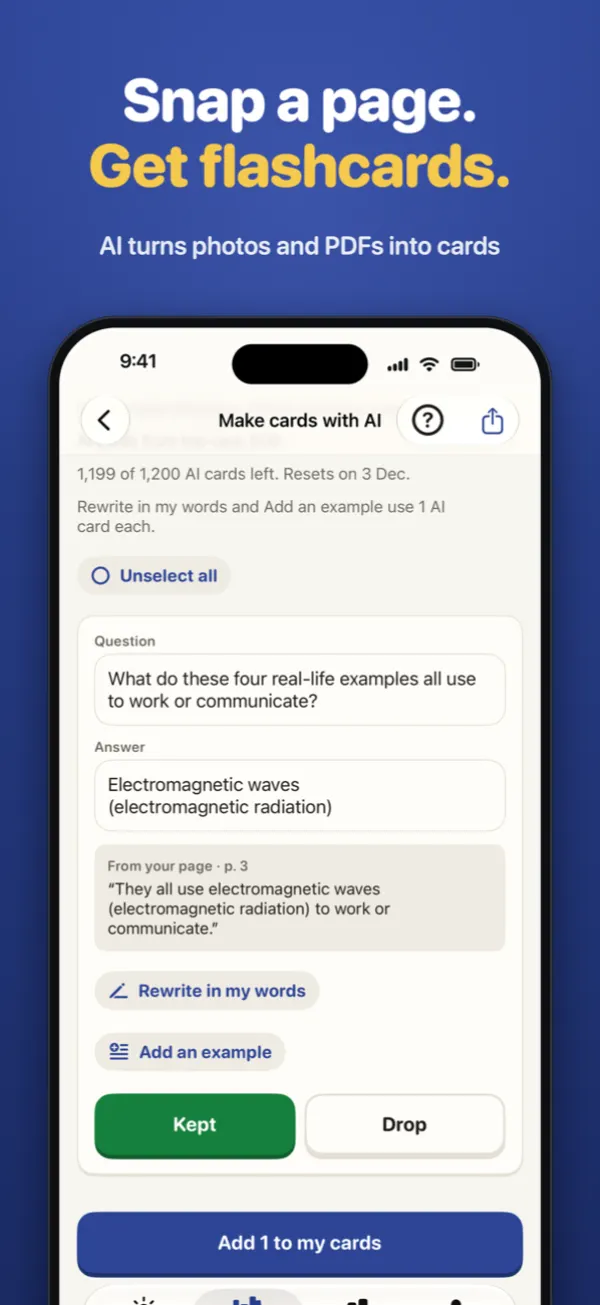
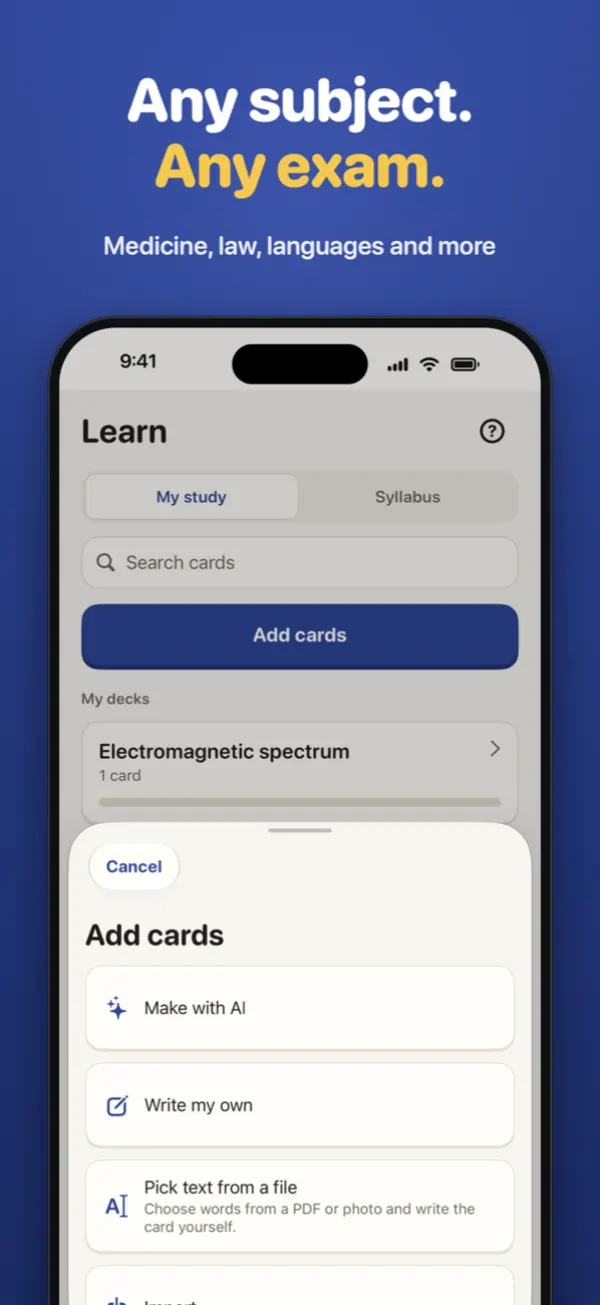
Writing cards by hand takes longer than studying them. In Morywise you choose a PDF, take a photo of a textbook page or paste your notes, and the AI drafts flashcards from that page. Every card comes with the sentence from your page that backs up its answer, and you see all of them before anything is added. Keep the ones you like, rewrite any card in your own words, or drop it.
The best results come from a PDF with text you can select. Scanned pages and photos work too, though they can give fewer cards. The AI card maker is for learners aged 18 and over, with Pro or a pack of AI cards. Once you sign in you can try it one time: type a topic and get 10 AI cards.
PDF to flashcards
Pick the pages you need from a chapter, lecture slides saved as PDF or a revision guide, and get cards for just those pages.
Photo to flashcards
Snap a page of a book or your handwritten notes. Morywise reads the text on the phone, then the AI makes cards from it.
Notes to flashcards
Paste class notes or a summary, and turn it into questions and answers in one step.
Checked against your page
Each AI card shows the quote it came from, so you can see at a glance whether the answer is right before you keep it.
What is spaced repetition, and why does it work?
The method behind every review in Morywise
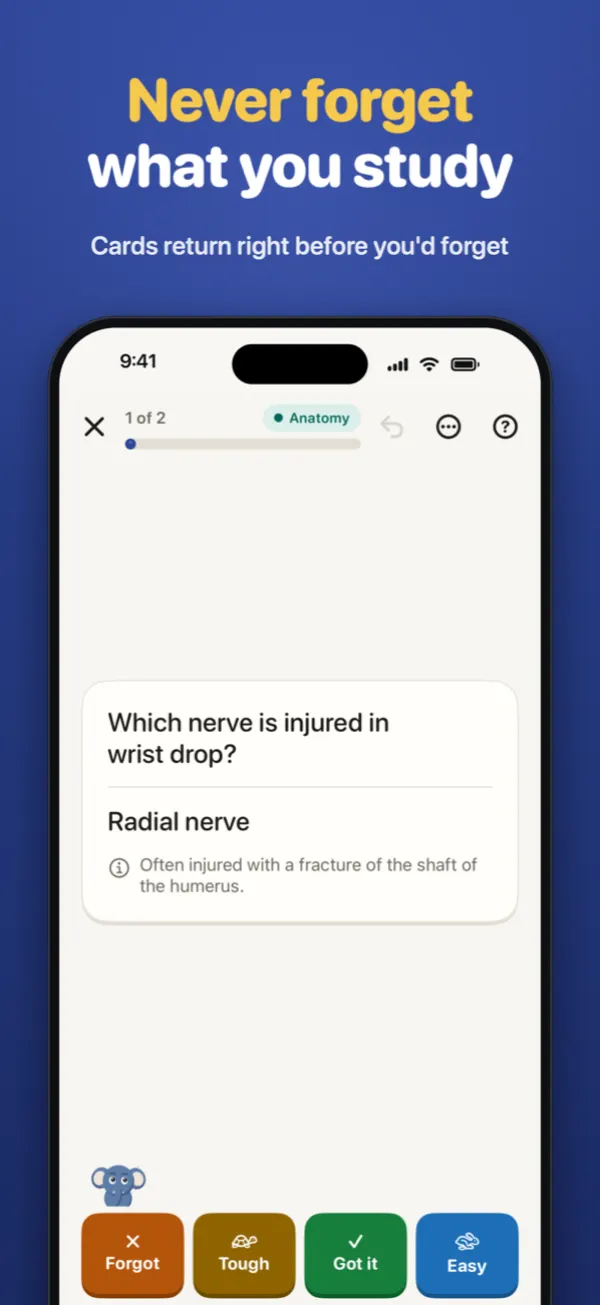
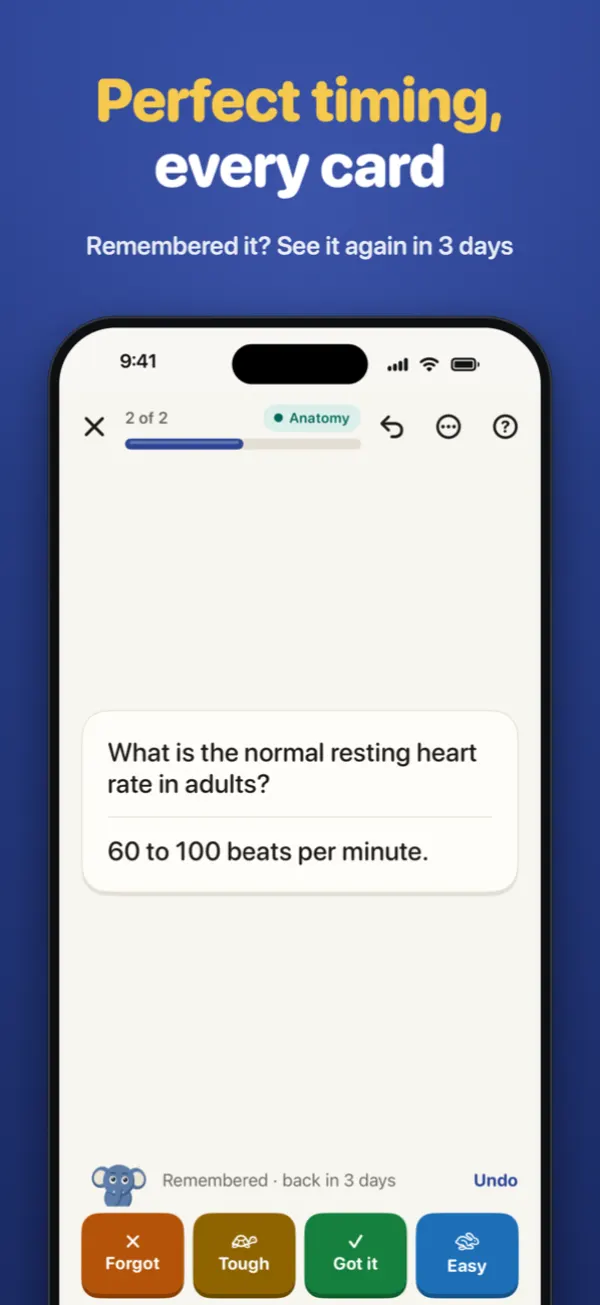
Spaced repetition is a way of studying where you review each fact just before you would forget it, with the gaps between reviews growing each time you remember. Because you recall the answer at the moment it starts to fade, the memory gets stronger, and you need far fewer reviews than rereading or cramming.
Memory fades along what psychologists call the forgetting curve, first described by Hermann Ebbinghaus. Each successful recall flattens that curve. Morywise uses FSRS-6, a modern spaced repetition scheduler, to estimate how well you know each card and to pick the day it should come back. A card you found easy may return in a few weeks; a card you forgot comes back the same day.
Answering from memory before you see the answer is called active recall, and it is what makes flashcards work. Together, active recall and spaced repetition are two of the most studied ways to learn and remember.
Every kind of flashcard you need
From simple question cards to hidden diagrams
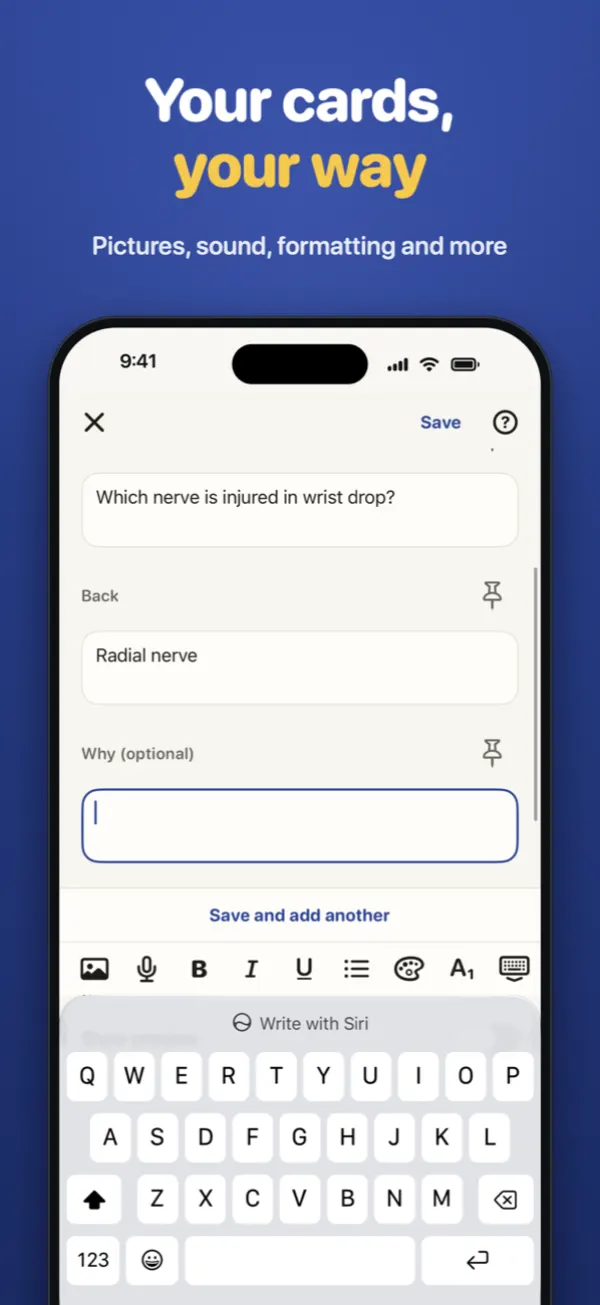
Question and answer
The classic flashcard, with an optional reverse card that asks it the other way round, ideal for vocabulary.
Fill the gap (cloze)
Hide words inside a sentence and recall them in place. Great for definitions, dates and laws.
Type the answer
Type what you remember and see exactly where it differs, for spelling, formulas and exact wording.
Hide parts of a picture
Cover labels on a diagram, map or anatomy image and reveal them one at a time.
Maths that looks right
Write fractions, roots and equations that display properly on the card.
Pictures and sound
Add images and audio to any card, for pronunciation, music or diagrams.
Already use Anki? Bring your decks to Morywise
An Anki alternative for iPhone that keeps your work
Morywise opens Anki deck packages (.apkg) and whole collections (.colpkg), with their cards, pictures and sound, so you can keep studying on your iPhone. Your decks are not locked in: export them back to an Anki package whenever you like. You can also move decks from other flashcard apps that export to the Anki format.
| What you want | How Morywise does it |
|---|---|
| Keep my existing decks | Import .apkg and .colpkg files, with media |
| Make new cards fast | AI flashcards from PDFs, photos and notes |
| Trust the schedule | FSRS-6 spaced repetition |
| Study anywhere | Works offline, syncs through your own iCloud |
| Leave whenever I want | Export to an Anki package at any time |
Built for exam revision
Medicine, law, languages, board exams and more
Exam countdown
Set your exam date once and Today shows the days left until it.
Ten minutes a day
Morywise plans each day's reviews for you, so a short session keeps everything fresh.
Ready-made chapter packs
Start on day one with packs written for the syllabus, beginning with CBSE Class 9 Social Science, with more subjects on the way. Study the first 10 cards of a chapter before you buy.
Any subject
Make your own decks for medicine, nursing, law, engineering, languages, vocabulary or your next certification.
A study habit that sticks
Gentle reminders, never guilt
Mory, your study buddy
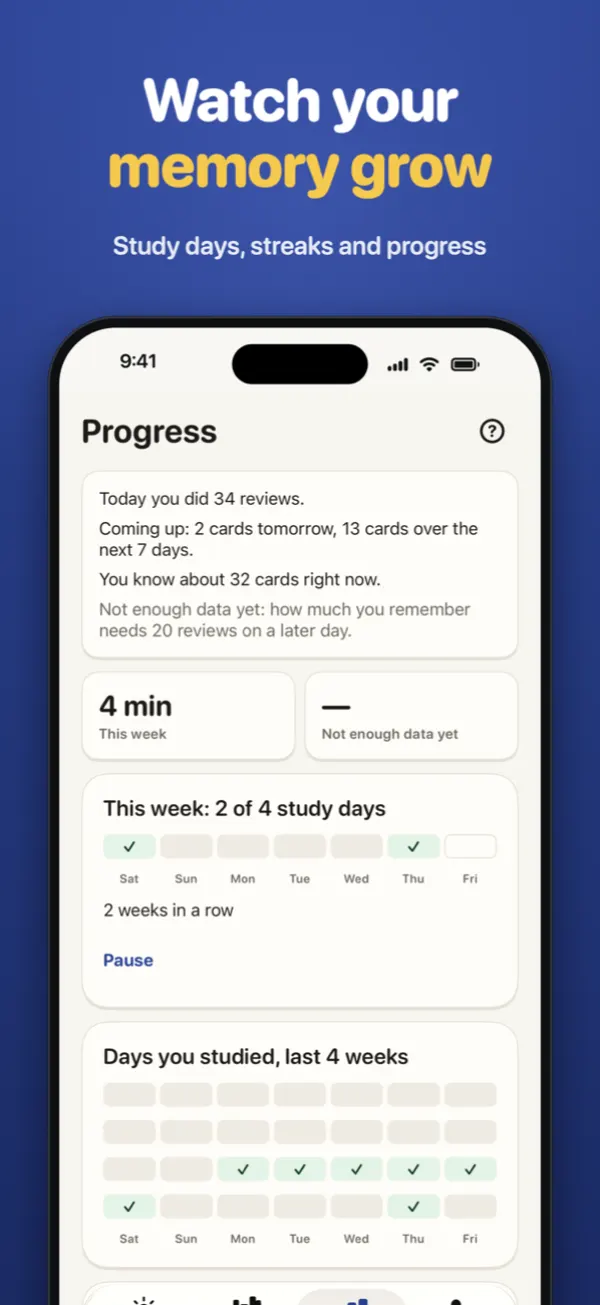
A small blue elephant who notices your effort and never shames a missed day.
Reminders and a widget
A daily reminder and a home screen widget show what is due, with a calm weekly goal.
Offline, backed up, synced
Study on a plane or underground. Backup and sync go through your own iCloud.
Made for everyone
Large text, VoiceOver, light and dark mode, and 12 languages.
How to make flashcards from a PDF on iPhone
Five steps in Morywise
- Install Morywise from the App Store and open it. No account is needed to study.
- Open the card maker and choose A PDF, a photo of a page, or your notes.
- Pick the pages you want cards for. A PDF with selectable text gives the best cards.
- Check the drafts. Each card shows the quote from your page. Keep, rewrite or drop it.
- Study a few minutes a day. Morywise brings each card back right before you would forget it.
What Morywise costs
Clear before you pay
Morywise costs nothing to download, and there is no limit on the cards you make yourself or the Anki decks you bring in. Morywise Pro is an optional subscription that opens every chapter pack, includes the AI card maker and removes video ads. You can also open a single chapter or a whole subject for 12 months, or buy a pack of AI cards. Prices are shown in the app in your own currency before you pay, and Pro renews until you cancel in your Apple Account settings.
Questions people ask
What is the best flashcard app for iPhone?
The best flashcard app is the one that makes cards quickly and schedules reviews well. Morywise does both: it makes flashcards from your PDFs, photos and notes with AI, and schedules every review with FSRS-6 spaced repetition. It also imports Anki decks and works offline.
Can Morywise make flashcards from a PDF?
Yes. Choose a PDF, pick the pages, and the AI card maker drafts question-and-answer cards from them. Each card shows the quote from your page that supports the answer, and you check every card before it is added.
Is Morywise free?
Morywise costs nothing to download, and making and studying your own cards has no limit. Pro is an optional subscription for every chapter pack, the AI card maker and no video ads. A single chapter or subject can also be opened for 12 months, and AI cards can be bought in packs.
Is Morywise an Anki alternative?
Morywise imports Anki .apkg and .colpkg files with their media, schedules them with FSRS spaced repetition and exports them back to Anki at any time. It adds an AI card maker, exam countdown and a calmer design for iPhone.
What is FSRS?
FSRS (Free Spaced Repetition Scheduler) is a modern algorithm that predicts how likely you are to remember each card and picks the best day to review it. Morywise uses FSRS-6, so you spend less time on cards you already know.
Does Morywise work offline?
Yes. Studying, making cards by hand and importing decks all work without the internet. Only the AI card maker, chapter downloads, purchases and sync need a connection.
Do I need an account?
No account is needed to study. Signing in with Apple or Google is optional, and you can delete your account from inside the app.
Is Morywise on Android?
Morywise is on the App Store for iPhone now. An Android version is planned but not available yet.
Which languages does Morywise support?
The app is available in English, Spanish, Portuguese, German, French, Arabic, Japanese, Korean, Simplified Chinese, Turkish, Hindi and Indonesian. Your cards can be in any language.
How many minutes a day should I study flashcards?
For most learners ten to twenty minutes a day is enough. Morywise shows how many reviews are due today, so you can stop when they are done and come back tomorrow.
Stop forgetting what you study.
Make your first deck in a minute, from a PDF, a photo or your notes.