Dexaloop › Morywise › The Anki alternative for iPhone, and when to keep AnkiMobile
Anki alternative for iPhone
The Anki alternative for iPhone, and when to keep AnkiMobile
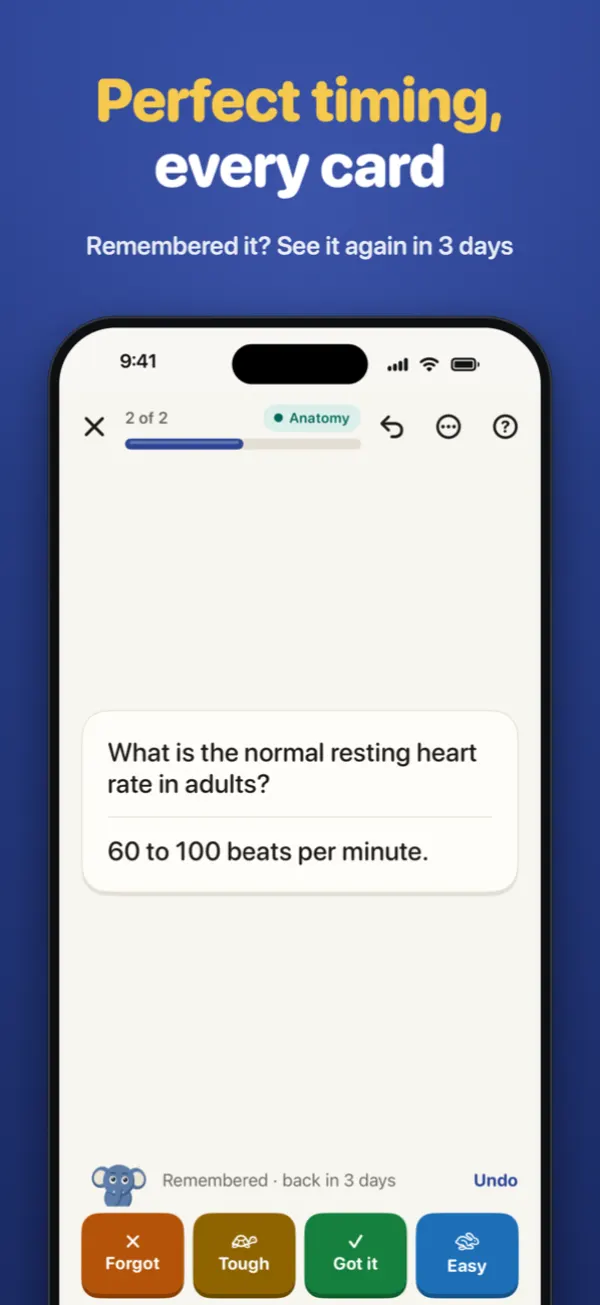
Anki is free on computers and Android, but its iPhone app, AnkiMobile, costs US$24.99 once, and that money funds Anki's development. If you want to start on iPhone without paying first, Morywise by Dexaloop is free to download, schedules reviews with FSRS-6 and opens your Anki .apkg and .colpkg decks with their study history.
By Dexaloop, the maker of Morywise · Updated
Is Anki free on iPhone?
No. Anki is free on Windows, Mac and Linux, free on the web through AnkiWeb, and free on Android through AnkiDroid. On iPhone and iPad, the Anki app is AnkiMobile, a one-time purchase of US$24.99 on the US App Store (checked 21 November 2026). There is no subscription, and one purchase covers all devices on the same Apple Account.
The price is not a mistake. Anki's own FAQ explains that AnkiMobile pays for the work on the free desktop app and the free AnkiWeb sync service, which it describes as a full-time job. So when people search for a "free Anki for iPhone", the honest answer is that there is no free version of AnkiMobile, but there are other iPhone apps that read Anki's deck files.
Is AnkiMobile worth US$24.99?
For many committed Anki users, yes. If you already study on Anki desktop, rely on add-ons there, use shared decks from the Anki community and sync through AnkiWeb, AnkiMobile is the app that fits that setup best, and your purchase supports the project. People on the Anki forums often call it money well spent.
It is a harder call if you are new to flashcards, if you study mostly on your phone, or if the price matters where you live. Recent App Store reviews of AnkiMobile mention the up-front price, a learning curve, and the redesign that arrived with version 26.10 in November 2026. If any of those is what stops you, an iPhone app that opens your Anki decks lets you try the same method first.
AnkiMobile and Morywise side by side
Checked 21 November 2026
| What matters | AnkiMobile | Morywise |
|---|---|---|
| Price to start | US$24.99, one time | Nothing to download |
| Subscription | None | Optional Pro, US$4.99 a month or US$49.99 a year, 7-day trial |
| Scheduler | Anki's scheduler, with FSRS as an option in deck options (Anki 23.10 and later) | FSRS-6 for every card |
| Opens Anki decks | Yes, it is Anki | .apkg and .colpkg, with media and study history |
| Exports to Anki | Yes | Yes, Export for Anki (.apkg or .colpkg) |
| Cloze and type the answer | Yes | Yes |
| Image occlusion | Yes (built into Anki since 23.10) | Yes, hide parts of a picture |
| AI card making | Not built in | From a PDF, a photo, pasted notes or a typed topic (adults 18+, with Pro or an AI card pack) |
| Sync | AnkiWeb, free, with Anki on computers, Android and the web | iCloud, between your own Apple devices; no AnkiWeb |
| Add-ons | Run on Anki desktop, not on the phone | None |
| Android | AnkiDroid, a separate free app | An Android version is in testing on Google Play |
Why people pick Morywise on iPhone
Start without paying
Download it, open an Anki deck or make your own cards, and study. Cards you make or import have no limit.
Your Anki history comes along
Due dates, study history, tags, flags, pictures, sounds, card styles, Anki maths and image occlusion notes all come in. Checked with files from Anki 26.09.
Cards without the typing
With Pro or an AI card pack, pick pages from a PDF or photograph a page, and the AI drafts cards. Each card from your page shows the sentence that backs its answer, and you keep, edit or drop it.
Simple from the first day
FSRS-6 works out the schedule for you, so there are no intervals or ease settings to learn before you start.
How to move your Anki decks to Morywise on iPhone
About five minutes
- Export from Anki. On Anki desktop, export a deck as an .apkg with its scheduling and media, or your whole collection as a .colpkg.
- Put the file on your iPhone. AirDrop it, or save it to iCloud Drive or the Files app.
- Install Morywise from the App Store. No account is needed.
- Open Import from Anki in Morywise and choose the file. A report shows what comes in before anything is written.
- Study. Your due cards are on Today. Undo this import takes the import back if you change your mind.
What does not come across: scripts on cards do not run, maths that Anki turned into pictures may show as typed, filtered decks are not kept (their cards go back to their own decks), and Morywise does not sign in to AnkiWeb or AnkiHub. Export the deck from Anki first.
Other iPhone options people compare
- Quizlet is a good fit for ready-made class sets and games. Its Learn mode is limited without Quizlet Plus, which is US$35.99 a year on Quizlet's own upgrade page (21 November 2026).
- Noji, formerly Anki Pro, is a separate subscription app. Anki's FAQ says apps with similar names are not related to Anki.
- AnkiMobile stays the right choice if your study lives on Anki desktop with add-ons and AnkiWeb.
Questions people ask
Is Anki free on iPhone?
No. Anki desktop, AnkiWeb and AnkiDroid for Android are free, but AnkiMobile for iPhone and iPad is a one-time purchase of US$24.99 on the US App Store (checked 21 November 2026). There is no subscription, and sync through AnkiWeb is included.
Why does AnkiMobile cost money when Anki is free elsewhere?
Anki's own FAQ says the iPhone app's price pays for the development of Anki desktop and the free AnkiWeb sync service. The App Store listing says the same: buying it supports the open source project.
Is there an AnkiDroid for iPhone?
No. AnkiDroid is an Android app. On iPhone, the Anki app is AnkiMobile. Other iPhone apps, such as Morywise, can open Anki deck files, but they are separate apps that are not made by the Anki team.
Will my Anki review history come across to Morywise?
Yes. When a deck package (.apkg) includes its scheduling, or you bring a whole collection (.colpkg), Morywise keeps when each card is due and its whole study history, and works out how well you know each card from it. Upcoming review dates can differ a little from Anki's.
Can Morywise sync with AnkiWeb?
No. Morywise never signs in to AnkiWeb or AnkiHub. To move cards, export an .apkg or .colpkg from Anki and open it in Morywise. To go back, use Export for Anki in Morywise and open the file in Anki.
Does Morywise work on iPad?
Morywise is made for iPhone and needs iOS 18 or later. It is not an iPad app. Macs with Apple silicon can install the iPhone version from the Mac App Store, which Apple marks as not verified for macOS.
What does Morywise cost?
Morywise costs nothing to download, and cards you make yourself or bring from Anki have no limit. Pro is optional: US$4.99 a month or US$49.99 a year on the US App Store, with a 7-day trial. Pro adds the AI card maker, every ready-made chapter pack and no video ads. Prices in your currency are shown in the app before you pay.
Sources and how we checked
We make Morywise, so read this page with that in mind. Facts about other apps come from their own pages and store listings, on the dates shown. Prices and features change; check the maker's page before you decide. Found something out of date? Email support@dexaloop.com and we will fix it.
- Quizlet upgrade page (Plus prices), checked 21 November 2026
- AnkiMobile Flashcards on the US App Store, checked 21 November 2026
- Anki FAQ: why does AnkiMobile cost more than a typical mobile app?, checked 21 November 2026
- Anki manual: deck options (FSRS, Anki 23.10 and later), checked 21 November 2026
- Anki manual: editing (image occlusion, Anki 23.10 and later), checked 21 November 2026
- Anki downloads (desktop, AnkiWeb, AnkiDroid), checked 21 November 2026
- Anki FAQ: apps with similar names, checked 21 November 2026
- Morywise on the US App Store, checked 21 November 2026
More about choosing a flashcard app
Try Morywise on your own notes.
Make your first deck from a PDF, a photo of a page or your notes, or bring in an Anki deck you already have.