Dexaloop › Morywise › The best flashcard app, for the way you study
Best flashcard app
The best flashcard app, for the way you study
No single flashcard app is best; it depends on how you study. For long-term memory at no cost, Anki is free on computers and Android. For ready-made class sets, Quizlet. Morywise by Dexaloop is a flashcard app for iPhone, with an Android version in testing on Google Play, that adds FSRS-6 and AI cards from your own pages.
By Dexaloop, the maker of Morywise · Updated
What is the best flashcard app?
Short answer, by need
The best flashcard app is the one that fits how you study, because each app is strong at a different job. Start from your main need:
- Remembering for months, at no cost: Anki on a computer, or AnkiDroid on Android. Both are free and open source, with FSRS spaced repetition as an option.
- Ready-made sets from classmates: Quizlet. Flashcards are open to everyone; Learn and practice tests are limited without Quizlet Plus.
- A Quizlet-style app with unlimited Learn: Knowt. Its Learn mode is unlimited on the no-cost plan, according to its own page.
- Notes and flashcards in one place: RemNote, which turns your notes into cards and schedules them with spaced repetition.
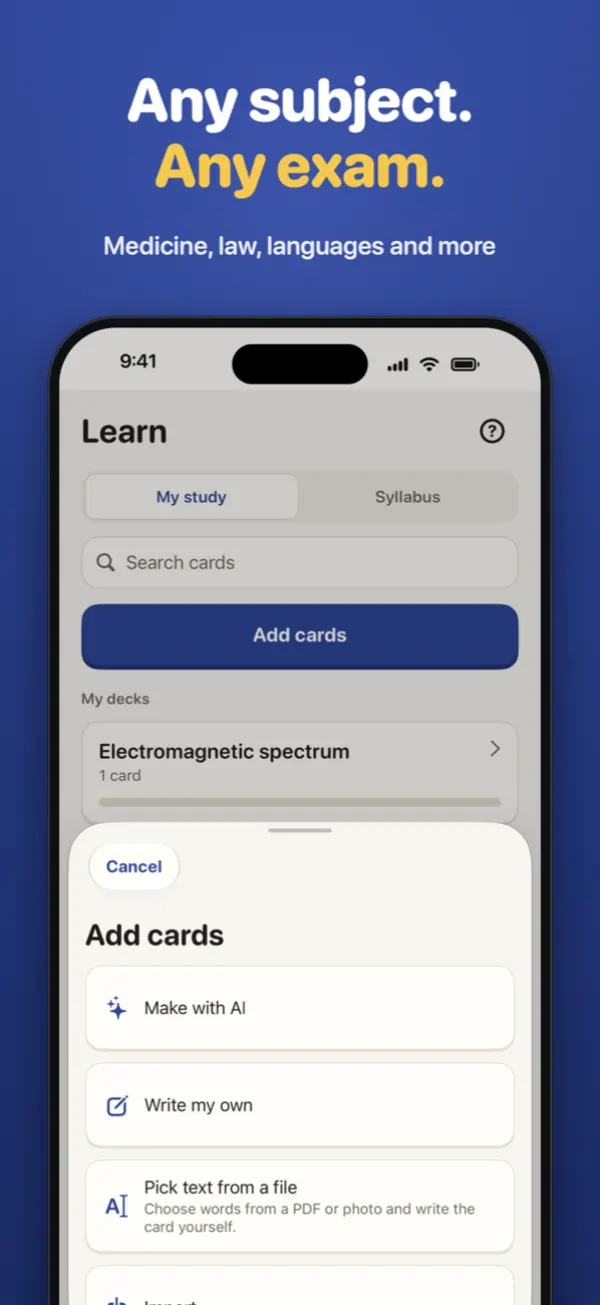
- Cards made from your own pages on iPhone: Morywise. Photograph a page or pick a PDF, check each AI draft against the sentence it came from, then study with FSRS-6.
The 8 flashcard apps compared
Checked 21 November 2026
| App | Price (US) | Platforms | Scheduler | Opens Anki decks | AI cards | Best for |
|---|---|---|---|---|---|---|
| Anki and AnkiMobile | Desktop and AnkiWeb at no cost; AnkiMobile US$24.99 once | Windows, Mac, Linux, web, iPhone and iPad | Anki's scheduler, FSRS as an option (23.10 and later) | Yes, it is Anki | Not built in | Serious long-term study, shared decks, add-ons on desktop |
| AnkiDroid | No cost, open source | Android | Anki's scheduler, FSRS as an option (2.17 and later) | Yes, it is Anki | Not built in | Anki on Android |
| Quizlet | No-cost plan; Plus US$35.99 a year, Plus Unlimited US$44.99 a year | Web, iPhone, Android | Learn, an adaptive mode; not a named spaced repetition method | No; paste text on the website | Yes, from notes, slides or PDFs | Ready-made class sets and quick revision |
| Knowt | No-cost Basic; Ultra US$95.99 a year or US$24.99 a month | Web, iPhone, Android | Spaced repetition mode, plus unlimited Learn | Text or CSV, and Quizlet import | Yes | Quizlet users who want Learn without limits |
| Brainscape | No-cost Basic; Pro US$7.99 a month, billed yearly | Web, iPhone, Android | Its own spaced repetition | Through a CSV export | Yes, hundreds on Basic | Simple spaced repetition on every device |
| RemNote | No-cost plan; Pro US$8 a month, Pro with AI US$18 a month | Desktop, iPhone, Android | SM-2 by default; FSRS 6 as a beta option | Yes, with review history | Yes, 5 from a file on the no-cost plan | Notes and flashcards together |
| Noji | In-app purchases from US$4.99 a month to US$89.99 a year, or US$74.99 lifetime | Web, iPhone, Android | Spaced repetition, method not named | .apkg and .colpkg, with progress | Yes, from documents, notes and images | A polished app with many pre-made decks |
| Morywise | Nothing to download; optional Pro US$4.99 a month or US$49.99 a year, 7-day trial | iPhone (iOS 18 or later); Android version in testing | FSRS-6 for every card | .apkg and .colpkg, with study history; exports back | Yes, from a PDF, a photo, notes or a topic (18+, Pro or an AI card pack) | Cards from your own pages on iPhone |
How do you choose a flashcard app?
Five questions to ask
Choose by the one thing you cannot do without, then check the price for your country. These five questions settle most choices.
Does it schedule reviews for you?
Spaced repetition brings each card back just before you would forget it. FSRS is a modern open method for this: Anki and RemNote offer it as an option, and Morywise uses it for every card. If you study for exams months away, make this your first test.
Can it make cards from your notes?
Typing cards takes hours. Most apps now draft cards with AI. Look for a way to check each draft against your source, because AI can be wrong. Morywise shows the sentence from your page that backs each answer.
Are there ready-made sets?
Quizlet has a large library of sets made by other users, Noji lists pre-made decks, and Anki has shared decks. Morywise has ready-made chapter packs for some CBSE and UPSC subjects, with the first 10 cards of each chapter open.
Does it work offline?
If you study on a train or with weak signal, check that reviews work without the internet. Anki and Morywise both let you study offline. AI features always need a connection.
What does it really cost?
Compare what the no-cost plan leaves out. Anki is free except on iPhone. Quizlet limits Learn rounds and practice tests without Plus. Morywise costs nothing to download, with no limit on cards you make or import.
Can you leave with your cards?
An app you can export from is a safer bet. Anki's .apkg file is the common format. Morywise and Noji open it, and Morywise's Export for Anki sends your cards back to Anki.
The apps, one by one
Anki, AnkiMobile and AnkiDroid
Anki is the long-standing spaced repetition app. It is free and open source on computers, AnkiWeb sync costs nothing, and AnkiDroid on Android is free and built by volunteers. AnkiMobile for iPhone costs US$24.99 once, and that price funds Anki's development. FSRS and image occlusion have been built in since Anki 23.10. The trade-off is a learning curve and many settings.
Quizlet
Quizlet is the easiest place to find a set someone has already made. Its flashcards are open to everyone. Users without Plus get Learn for a limited number of rounds per set and one practice test per set. Plus (US$35.99 a year) gives 20 rounds of Learn a month, and Plus Unlimited (US$44.99 a year) removes that limit. Diagram sets need Plus.
Knowt
Knowt looks and feels close to Quizlet, can import Quizlet sets, and says its Learn mode is unlimited at no cost. It also has a spaced repetition mode. Its paid Ultra plan adds AI summaries and an AI tutor.
Brainscape
Brainscape offers its own spaced repetition on the no-cost plan, which can also make hundreds of AI cards, and you can study decks other people have shared. Pictures and sounds on cards need Pro.
RemNote
RemNote is a notes app that turns what you write into flashcards, scheduled with SM-2 by default or FSRS 6 as a beta option. It imports Anki decks with their review history. The no-cost plan allows 5 AI cards from a file; more AI use needs Pro with AI.
Noji
Noji, formerly Anki Pro, is a separate app, not made by the Anki team, and its App Store listing mentions 50,000 pre-made decks. It imports Anki deck files with progress through its website. Anki's own FAQ says apps with similar names are not related to Anki.
Morywise
We make Morywise. It is made for iPhone, and an Android version is in testing on Google Play. Every card is scheduled with FSRS-6. With Pro or an AI card pack, adults can turn a PDF, a photo of a page, pasted notes or a typed topic into draft cards. You can try it once with no account: a typed topic gives 10 cards. Morywise also opens Anki decks with their history, has an exam countdown and exam mode, and works in 12 interface languages.
Which flashcard app is best for students?
For students, the best flashcard app is one with spaced repetition that you will open every day. A plan you follow beats a perfect app you drop after a week.
If you study for one big exam, such as a board exam, a university final or a licensing test, spaced repetition matters most: Anki, Morywise, RemNote, Brainscape or Knowt's spaced repetition mode. Medical students often choose Anki for its shared decks. If your class shares Quizlet sets, Quizlet or Knowt saves you the typing. If you have more pages than time, an app that makes cards from your notes, and shows where each answer came from, saves the most hours.
Where Morywise fits, and when to pick something else
Morywise fits if you study mostly on an iPhone, want cards drafted from your own pages, and want spaced repetition without settings to learn. Pro is optional: US$4.99 a month or US$49.99 a year on the US App Store, with a 7-day trial. It adds the AI card maker, every ready-made chapter pack and no video ads. Without Pro, the only ads are videos you choose to watch, never during review.
Pick something else if you need an iPad app, live sync between iPhone and Android, Anki add-ons, or a large library of community sets. Anki, AnkiDroid or Quizlet will serve you better there.
Questions people ask
What is the best app for flashcards?
It depends on what you need. Anki (free on computers and Android, US$24.99 once on iPhone) is the long-standing choice for spaced repetition. Quizlet suits ready-made sets shared by classmates. Knowt has an unlimited Learn mode on its no-cost plan. Morywise suits people on iPhone who want FSRS-6 and AI cards from their own pages.
What is the best flashcard app for students?
For exams months away, pick an app that schedules reviews with spaced repetition, such as Anki, Morywise, RemNote, Brainscape or Knowt's spaced repetition mode. For a test next week on a set your teacher shared, Quizlet or Knowt is quicker to start. Many students use one of each.
Is there a good flashcard app that costs nothing?
Yes. Anki desktop and AnkiDroid cost nothing and are open source. Knowt, Brainscape, RemNote and Quizlet have no-cost plans with limits. Morywise costs nothing to download, and cards you make or import from Anki have no limit; AI cards need Pro or an AI card pack, and full chapter packs need Pro or a chapter or subject purchase.
What is the best flashcard app for iPhone?
On iPhone, AnkiMobile (US$24.99 once) is the Anki app and syncs with Anki on a computer. Quizlet, Knowt, Brainscape, RemNote and Noji all have iPhone apps. Morywise is made for iPhone: it costs nothing to download, uses FSRS-6 and opens Anki .apkg decks.
Which flashcard apps use spaced repetition?
Anki and AnkiDroid offer FSRS as an option (Anki 23.10 and AnkiDroid 2.17 or later). Morywise uses FSRS-6 for every card. RemNote uses SM-2 by default, with FSRS 6 as a beta option, according to its help center. Brainscape and Knowt have their own spaced repetition, and Noji says it uses spaced repetition without naming the method.
Can a flashcard app make cards for me with AI?
Yes. Quizlet, Knowt, Brainscape, RemNote, Noji and Morywise all make cards with AI, with limits that depend on the plan. Anki has no AI card maker built in. In Morywise, cards drafted from a page, PDF or pasted notes show the sentence that backs each answer, and you keep, edit or drop each one.
Do flashcard apps work offline?
Many do for studying. Anki studies offline and syncs later. In Morywise, studying, making cards by hand and importing all work offline; AI cards, downloads, purchases and sync need the internet. Check each app's own page for its offline rules.
Sources and how we checked
We make Morywise, so read this page with that in mind. Facts about other apps come from their own pages and store listings, on the dates shown. Prices and features change; check the maker's page before you decide. Found something out of date? Email support@dexaloop.com and we will fix it.
- RemNote Help: the FSRS spaced repetition algorithm (SM-2 default, FSRS 6 beta option), checked 21 November 2026
- Anki downloads (desktop, AnkiWeb, AnkiDroid), checked 21 November 2026
- AnkiMobile Flashcards on the US App Store, checked 21 November 2026
- Anki manual: deck options (FSRS, Anki 23.10 and AnkiDroid 2.17 and later), checked 21 November 2026
- Anki manual: editing (image occlusion, Anki 23.10 and later), checked 21 November 2026
- AnkiDroid on Google Play, checked 21 November 2026
- Quizlet upgrade page (Plus and Plus Unlimited prices), checked 21 November 2026
- Quizlet Help Center: studying on Quizlet, checked 21 November 2026
- Quizlet AI flashcard generator, checked 21 November 2026
- Knowt plans, checked 21 November 2026
- Knowt Learn mode, checked 21 November 2026
- Brainscape pricing, checked 21 November 2026
- RemNote pricing, checked 21 November 2026
- RemNote: FSRS, checked 21 November 2026
- Noji on the US App Store, checked 21 November 2026
- About Noji, checked 21 November 2026
- Morywise on the US App Store, checked 21 November 2026
More about choosing a flashcard app
Try Morywise on your own notes.
Make your first deck from a PDF, a photo of a page or your notes, or bring in an Anki deck you already have.